A 2026 new year ai prompt is a short instruction you paste into AI tools to instantly generate New Year 2026 visuals or text — greeting cards, party scenes, captions, or reflections.
Pick a tool (ChatGPT or Gemini for text; Midjourney, Ideogram, Stable Diffusion, or Canva for images), paste a prompt tailored to your platform, and export in the right size. Most tools are free or in the $10–$30 per month range; always check each tool’s licensing before any commercial use.
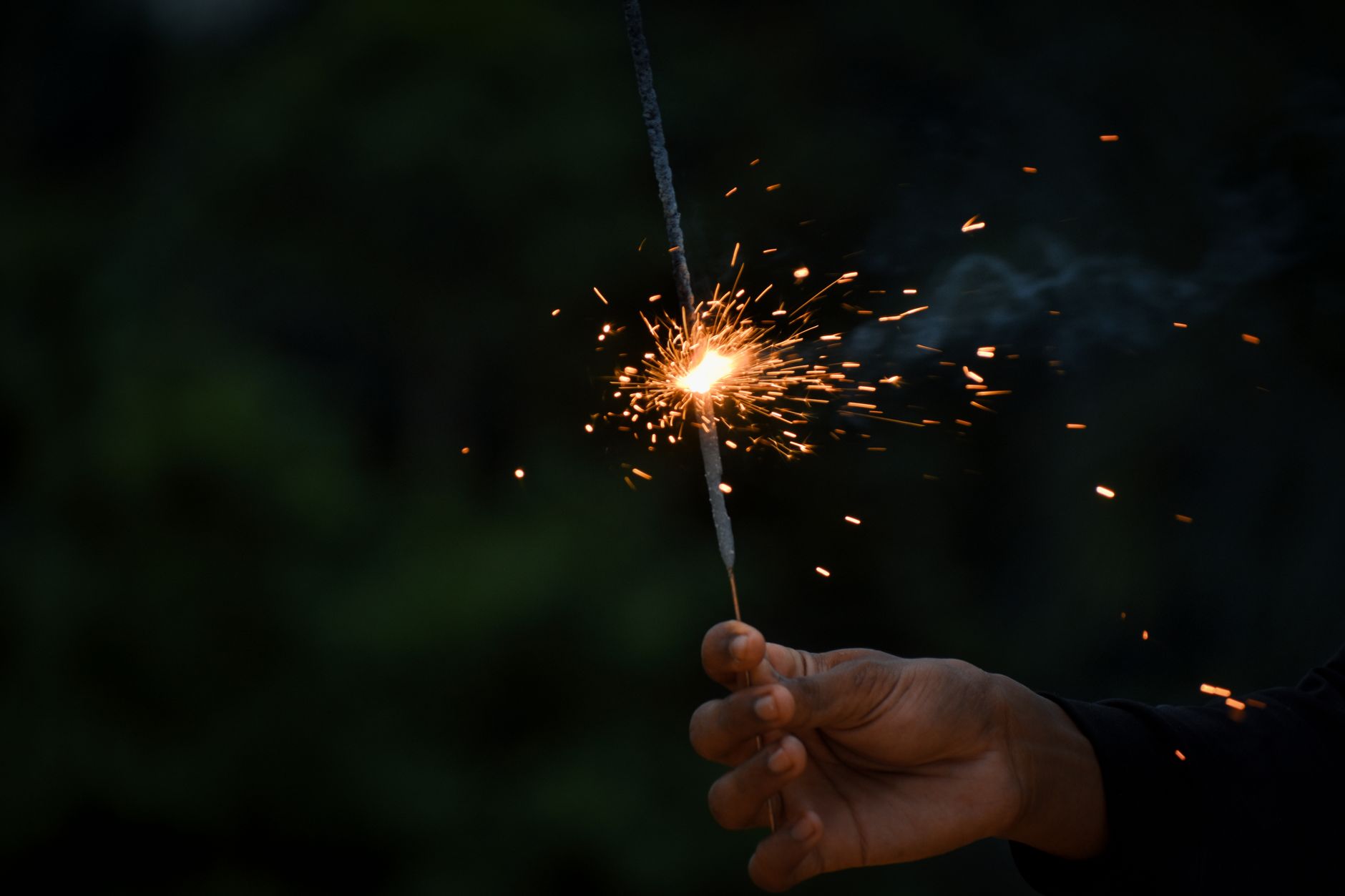
What is a 2026 New Year AI prompt and how to use it in 2 minutes
In plain words, a prompt tells an AI what to make and how it should look or sound. For images, include the subject, setting, mood, style, lighting, and desired quality. For text, specify the audience, tone, context, and call to action. If you include output size (for example “1080×1920 vertical”), many tools try to match that shape.
Quick start:
- Choose your goal: a printable card, an Instagram Story, a desktop wallpaper, or a caption.
- Pick a tool: Ideogram or Midjourney for typography and art; Stable Diffusion for deep control; Canva for templates; ChatGPT or Gemini for captions and copy.
- Paste the prompt, tweak one or two words (style or color), re-run once, and export at the correct size.
- Before commercial use, confirm the tool’s license terms and any stock element licenses if used.
Two fast examples you can paste right now:
- Image (Ideogram/Midjourney): “Happy New Year 2026 in elegant art deco type, gold on deep black, subtle fireworks bokeh, centered composition, poster, ultra crisp, 4k, –ar 4:5”
- Caption (ChatGPT/Gemini): “Write 3 short New Year captions for Instagram, warm and hopeful, 1 sentence each, include one sparkle emoji, add 2 relevant hashtags.”
Best tools for 2026 New Year AI prompts (price, licensing, and speed)
Each tool shines at a different job. Use this table to map your goal to the right tool. Prices and terms change, so confirm on the vendor’s site before buying or publishing.
| Tool | Type | Best for | Price | Licensing | Speed | Strengths | Limitations | Notes |
|---|---|---|---|---|---|---|---|---|
| ChatGPT | Text generation | Captions, card copy, reflection prompts | Free and paid tiers | Text reuse generally allowed; check plan terms | Instant | Fast drafts, many tones | No native image edit | Great for CTA variants |
| Gemini | Text generation | Captions, longer reflections | Free and paid tiers | Check commercial reuse terms | Instant | Clear structure, options lists | Requires prompt detail for tone | Use for structured lists |
| Midjourney | Text-to-image | Cinematic scenes, stylized cards | Paid tiers (typical starts around $10+/mo) | Commercial use with active sub; confirm TOS | ~30–90s per image | Lighting, composition, style variety | Text rendering on images can vary | Strong for party scenes |
| Stable Diffusion (SDXL) | Text-to-image & photo edit | Local control, inpainting, negatives | Open source; hosted UIs vary | Model license + site-specific terms | ~10–120s depending on hardware | Fine-grained control, negative prompts | Learning curve, setup time | Best for power users |
| Ideogram | Text-to-image | Clean typography on images | Free and paid tiers | Check commercial rights per plan | ~10–30s | Reliable word rendering | Less flexible than SD for edits | Great for “Happy New Year 2026” text |
| Canva | Templates & light AI | Quick cards, exports, brand kits | Free and paid tiers | Template and stock licenses vary | Instant | Exact sizes, drag-and-drop | Limited generative control | Safe pick for teams |
If you plan to publish across channels, these guides can help once your visuals and copy are ready: B2B content marketing strategy: Practical playbook for 2026, Strategies for Social Media Marketing, and SEO tips for implementation.
Reusable prompt frameworks that work across ChatGPT, Gemini, Midjourney, Ideogram
Think in frameworks so you can reuse and remix quickly.
Image prompt framework
Subject + Setting + Style + Lighting + Camera + Quality + Negative prompts + Aspect ratio.
Template:
“[Subject], [setting], [style keywords], [lighting], [camera lens or angle], ultra-detailed, high contrast, sharp focus, 4k, –ar [ratio]. Negative: [unwanted items].”
Example: “Friends on a city rooftop counting down to 2026, cinematic still, gold confetti in the wind, neon skyline, dusk blue hour, 50mm lens, sharp focus, 4k, –ar 9:16. Negative: blurry, watermark, extra hands, deformed text.”
Photo edit framework
Reference photo + Environment + Props + Lighting + Identity retention + Output size.
Template:
“Use the attached face photo. Place me in an indoor New Year party with 2026 balloons and warm string lights. Keep face identity and skin tone; natural smile. Add sparklers; remove harsh filters. 4k vertical 1080×1920.”
Text prompt framework
Tone + Audience + Context + CTA + Hashtags.
Template:
“Write 5 New Year Instagram captions in a warm, conversational tone for young professionals celebrating 2026. One sentence each. Include one call to action for sharing, and add two short hashtags.”
Adapting per platform
- Instagram feed: prioritize square 1080×1080; minimal text on image; short caption + 2–3 hashtags.
- Instagram Stories/Reels & TikTok: 1080×1920; keep key text in the central safe area (approx. center 1080×1420).
- Print cards: set dimensions in inches/mm; add bleed; export 300 DPI.
- Wallpapers: desktop 1920×1080 or 3840×2160; mobile 1170×2532 (iPhone 13 size works widely).
Ready-to-copy 2026 new year ai prompt examples (cards, party scenes, fireworks, captions)
Greeting cards
- Gold/black minimalist (Ideogram/Midjourney): “Happy New Year 2026, ultraclean sans-serif type in metallic gold on matte black, minimal confetti, centered, high contrast, poster, 4k, –ar 4:5. Negative: messy background, noisy grain.”
- Watercolor winter (SDXL/Canva+AI): “Snowy pine branches framing ‘Happy New Year 2026’, soft watercolor, gentle gradients, white paper texture, cozy and calm, greeting card illustration, –ar 3:2. Negative: neon, harsh shadows.”
- Art deco typography (Ideogram): “Art deco frame, geometric gold lines, midnight blue background, precise centered text: Happy New Year 2026, premium poster quality, crisp, no distortion.”
Cinematic party scenes
- Rooftop bokeh (Midjourney): “New Year’s Eve 2025 turning to 2026 on a city rooftop, warm string lights, shallow depth of field, gold bokeh, friends cheering, fireworks in distance, cinematic color grade, –ar 16:9. Negative: lens dirt, overexposed sparks.”
- Lanterns spelling 2026 (SDXL): “Night festival with glowing lanterns arranged to form 2026, soft fog, warm amber light, smiling crowd, long exposure effect, high detail, –ar 9:16. Negative: crowded text, warped numbers.”
- Fireworks panorama (Canva + stock + AI): “Wide skyline panorama, layered fireworks in the sky, subtle ‘2026’ light trails, clean foreground, export 3840×2160.”
Typography and graphic design
To get clean text on images, Ideogram often handles words best. Try:
- “Precise centered text: Happy New Year 2026, bold serif, golden foil effect, black paper texture, poster mockup, perfect kerning, no extra symbols.”
- “Minimal white background, black ink brush lettering: Happy New Year 2026, premium print look, no gradients, no drop shadows.”
Short caption prompts
- “Write 10 punchy New Year captions under 90 characters, hopeful tone, include one sparkle emoji.”
- “Draft 5 micro-CTAs encouraging followers to share their 2026 intention in comments.”
- “Create 3 caption variants for a fireworks image: one playful, one elegant, one heartfelt.”
Photo editing prompts: place yourself into New Year 2026 scenes
If you want your face in the celebration, use a reference selfie and a tool that supports image guides. In Midjourney, upload a face photo and use it alongside your scene prompt. In SDXL, use image-to-image with a low denoise strength, and inpainting to fix small areas. In Canva, remove the background of your portrait and place it into a prebuilt scene, then add glow and shadow layers for realism.
Prompts and settings to try:
- Identity retention: “Keep face identity consistent; preserve eye color; natural skin tone; avoid beauty filters.”
- Lighting match: “Match ambient light to warm string lights; subtle rim light from fireworks; no harsh HDR.”
- Props: “Gold ‘2026’ balloons in background, two sparklers in hand, soft confetti.”
- Negative prompts: “no blur, no extra fingers, no warped numbers, no watermark, no cheesy lens flares.”
Tip: If hands look odd, crop tighter or hold a glass instead of sparklers. If your face changes between generations, lock a seed (SDXL) or use a dedicated face image encoder plugin. Small manual touch-ups in Canva or another editor often finalize realism.
Text-only prompts for reflection and planning in 2026
Use these to write year-in-review notes, intentions, and gentle micro-plans without rigid resolutions:
- Year-in-review: “Interview me about my 2025 highlights and lessons. Ask 10 concise questions across work, learning, relationships, and fun. Summarize in 150 words.”
- Intentions over resolutions: “Propose 7 one-word themes for 2026 with examples of daily behaviors for each.”
- Health and habits: “Draft a 4-week habit ramp for better sleep and daily movement, focused on environment tweaks and triggers. Keep it practical and flexible.”
- Money and career: “Outline a simple monthly budget checklist and a quarterly skill plan for a marketer in 2026. Keep steps small and time-bound.”
If you’ll publish or turn these into blog posts, pair them with the internal guides linked earlier to route readers from inspiration to action.
Export sizes and publishing checklist for social, print, and wallpapers
Use exact sizes to avoid compression and text cutoff:
- Instagram feed: Square 1080×1080; Portrait 1080×1350; Landscape 1080×566.
- Instagram Stories/Reels & TikTok: 1080×1920; keep key text away from the top/bottom UI areas.
- X (Twitter) post image: 1600×900 works well for link-style crops.
- LinkedIn post: 1200×627; LinkedIn link previews vary, so keep center safe.
- YouTube thumbnail: 1280×720, center-weighted subject, strong contrast.
- Print cards: A6 (105×148 mm) at 300 DPI ≈ 1240×1748 px; A7 (74×105 mm) ≈ 874×1240 px; 5×7 in at 300 DPI ≈ 1500×2100 px; add 3 mm bleed on all sides.
- Wallpapers: Desktop 1920×1080 or 3840×2160; Mobile 1170×2532 (safe baseline).
- Color & file types: sRGB for web; many online printers accept sRGB PDFs too; PNG for graphics, JPEG for photos, PDF for print.
One-pass publishing checklist:
- Verify the aspect ratio and pixel size match the target platform or print spec.
- Keep all important text within a safe margin (no closer than 10% from edges).
- Check spelling on visible text, especially “2026”.
- Export at highest quality; avoid double compression.
- For print, include bleed and crop marks where required.
- Confirm licensing for any fonts, stock photos, or templates used.
- Do a quick mobile preview to test readability.
- Save a layered source file so you can localize or update later.
Troubleshooting: common mistakes, negative prompts, and who this is for
Here are quick fixes for problems that pop up with holiday assets:
- Overloaded prompts: Too many adjectives can confuse the model. Keep 12–18 focused tokens and remove duplicates like “high quality, ultra high quality, 8k.”
- Messy text on images: Use Ideogram for the text layer or generate artwork first and add text in Canva. Write “Precise centered text: Happy New Year 2026” to help the model.
- Artifacts (extra fingers, warped numbers): Add negatives such as “lowres, blurry, watermark, artifact, extra fingers, warped numbers.” Use inpainting to repair instead of regenerating the entire image.
- Flat lighting: Add lighting cues like “golden hour rim light, soft bounce fill, practical bulbs in background.”
- Face inconsistency: Lock a seed (SDXL), reuse the same face reference, or swap to a tighter portrait crop.
Quick FAQ
How do I write a prompt that cleanly renders “Happy New Year 2026” text in AI images?
Use Ideogram with “Precise centered text: Happy New Year 2026” and specify the style. In other tools, add the text in a design app after generating the background.
Which AI tool is best for New Year greeting cards — Ideogram, Midjourney, or Canva?
Ideogram for clean text, Midjourney for cinematic backgrounds, Canva for layout and export sizes. Many teams combine all three.
Can I use AI-generated New Year 2026 images for commercial purposes?
Often yes with the right plan, but policies differ. Check the tool’s terms, your plan level, and any stock/template licenses before publishing.
How do I add my face to a New Year 2026 scene without distortion?
Use a clear, front-lit reference image. In SDXL, run image-to-image with low denoise and inpainting for small fixes. In Midjourney, upload the face photo as a reference and keep prompts simple.
What image sizes should I export for Instagram Stories and printable cards?
Stories: 1080×1920. Cards: A6 at 300 DPI ≈ 1240×1748 px or 5×7 in at 300 DPI ≈ 1500×2100 px, with 3 mm bleed.
How do negative prompts help remove clutter and artifacts in holiday images?
They tell the model what to avoid. Add lines like “Negative: watermark, lowres, extra fingers, warped numbers, text artifacts, cheesy flares.” Combine with inpainting for precise fixes.
Who are these prompts for?
Casual users who want quick posts, creators making printable cards, and small brands building seasonal assets. For brand campaigns with strict typography, consider a workflow that uses Ideogram (text), Midjourney or SDXL (art), and Canva (layout and sizes).
Time to create?
Captions: 5 minutes; a simple card: 10–20 minutes; a photo composite with your face: 30–60 minutes depending on edits.
If you want to scale content production beyond a holiday sprint, see AI workflow automation for business operations and website conversion techniques to connect your creative outputs to measurable results.